If you’re trying to figure out how to use AI for graphic design without wrecking your creative process, you’re asking the right question.
This is about removing friction, not replacing designers. AI tools now live inside Figma, Adobe, and most product workflows. They generate layouts, draft UX copy, suggest components, and summarize research in seconds. Teams that ignore this shift don’t stay sharp—they fall behind.
The opportunity is acceleration, not just automation. Used correctly, AI helps you explore more ideas, test faster, and scale design systems without burning out your team. Used poorly, it creates generic work and weakens your brand.
Key Takeaways
- AI works best as a speed multiplier inside research, ideation, and iteration, not as a final decision-maker.
- Designers who use AI strategically explore more concepts in less time without sacrificing quality.
- AI excels at pattern recognition and scale; humans lead brand, emotion, and strategic direction.
- Workflow integration matters more than tool selection. Start with clear constraints and review checkpoints.
- The future of design is human-led, AI-supported collaboration where judgment and curation become competitive advantages.
Why AI Is Reshaping The AI Design Process
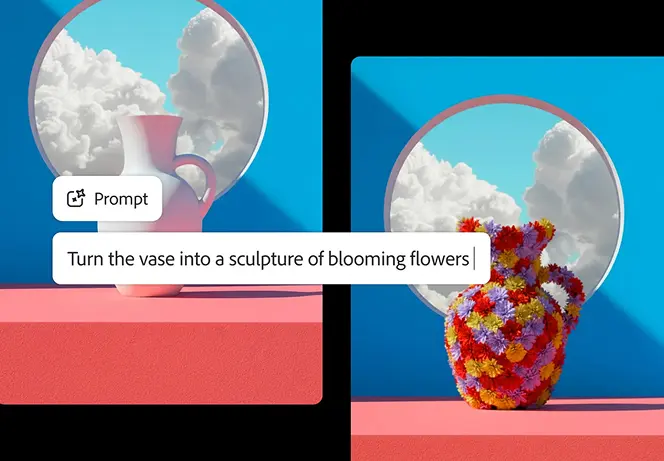
AI in design moved fast. A few years ago, tools generated rough visual experiments that designers used for inspiration. Now AI sits inside production software as an integrated feature. Adobe Firefly brings generative fill directly into Creative Cloud. Figma AI assists with layout generation and content drafting inside live design files, not separate applications.
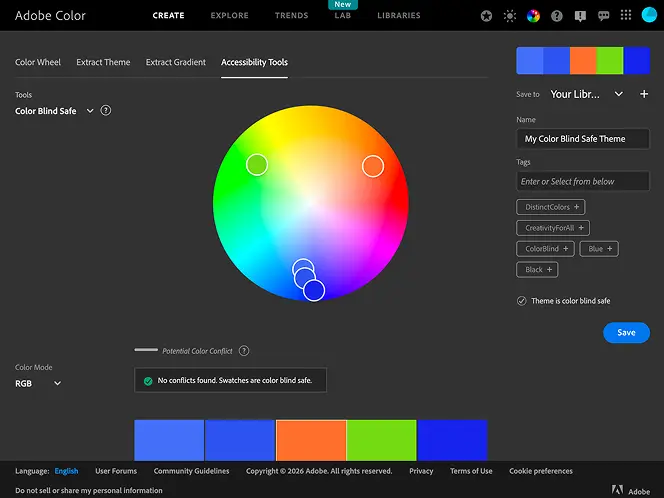
This mirrors broader workforce trends. Recent research estimates that generative AI could automate 60 to 70 percent of employees’ time spent on tasks like writing, coding, and content creation. That number matters for designers because the tools have reached production quality.
AI now handles generating layout variations instantly, scaling design systems across multiple pages, drafting placeholder UX copy, summarizing user interviews, and creating image assets. The shift is about integration into daily workflows, not novelty anymore.
AI becomes a speed multiplier that lets designers iterate faster, a pattern recognizer that surfaces insights humans might miss in large datasets, and a scale enabler that makes it practical to test dozens of variations instead of three. Designers who ignore these capabilities don’t become more original. They become slower than competitors who’ve figured out how to direct AI effectively.
Where AI Fits Inside The Design Process
AI supports nearly every phase of design. The key is knowing where it accelerates thinking and where it should not lead.
Research & Discovery: AI can summarize user interviews and cluster recurring themes in minutes instead of hours. You can feed it transcripts from customer calls and get structured themes back almost immediately. Those insights become more powerful when layered with strong web design principles that drive conversions. AI spots patterns in what users say—you decide which patterns actually matter for your product strategy.
Ideation & Concept Development: This is where AI shines for expanding possibility rather than limiting it. You can generate mood boards, explore visual directions, and create layout permutations at a pace that wasn’t realistic before. Prompt an AI tool for 15 different homepage hero structures in minutes, then use your judgment to identify which directions are worth refining. That expansion of options helps teams break out of familiar patterns.
Wireframing & Prototyping: If you’ve wondered how can AI UX design improve workflows, this phase shows the practical impact. AI suggests layout blocks based on content priority, drafts microcopy that matches tone, and builds rough component structures. Instead of starting from a blank canvas, designers refine something that’s 60% there. That said, if those wireframes need to scale across devices, applying mobile design best practices remains critical. AI can propose structure, but it doesn’t validate usability across breakpoints without human review.
Using AI For Faster Ideation Without Killing Creativity
The biggest fear designers have is sameness—that AI makes everything look generic. That happens, but only when designers outsource judgment instead of using AI as a thinking tool.
AI outputs reflect the constraints you give them. Weak prompts produce generic work because the AI defaults to common patterns it’s seen in training data. Clear brand direction, specific visual references, and well-defined constraints produce usable divergence that respects your brand identity.
Here’s a workflow that protects creativity: Start by defining brand guardrails clearly—your color palette, typography rules, spatial hierarchy, and tone. Then use AI to generate multiple structural variations within those constraints. Review the batch to identify directional strengths. Maybe one layout’s grid system works better than others, or a particular hierarchy feels more balanced. Finally, refine manually, bringing your taste and brand knowledge to polish the direction that showed the most promise.
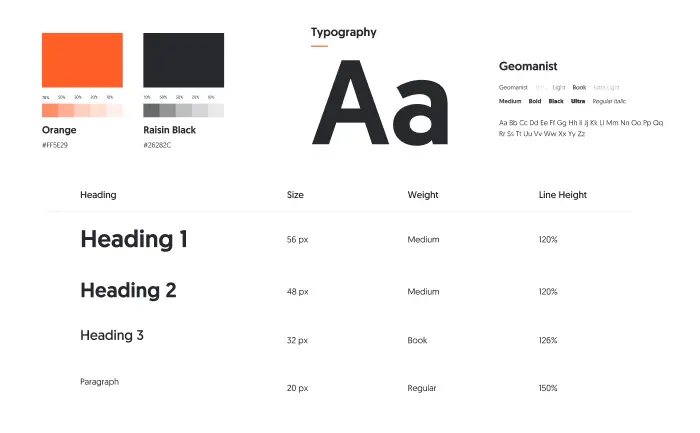
AI handles divergence by producing many options quickly. Humans handle convergence by deciding which option best serves users and brand goals. That division of labor is where creative advantage comes from now—not from generating raw assets, but from curating intelligently and knowing what makes one layout stronger than another.
AI Design Tools Worth Exploring
Rather than chasing a specific brand to start with your tool search, focus on categories that solve real workflow problems.
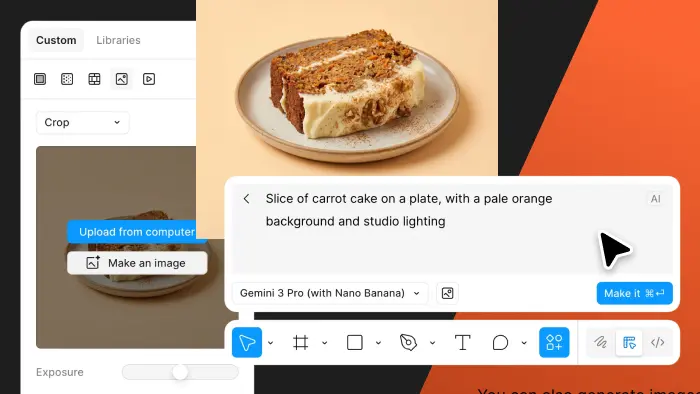
Generative Image Tools: Adobe Firefly integrates into Creative Cloud for generative fill, background creation, and texture generation. Midjourney supports rapid conceptual exploration when you need to visualize abstract ideas quickly. Both have strengths—Firefly for production polish, Midjourney for conceptual divergence.
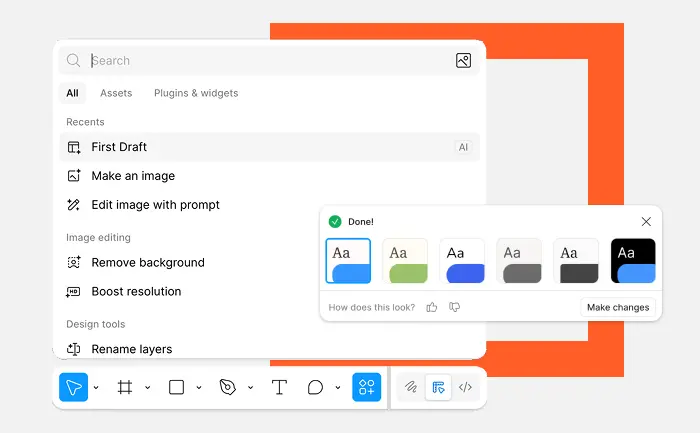
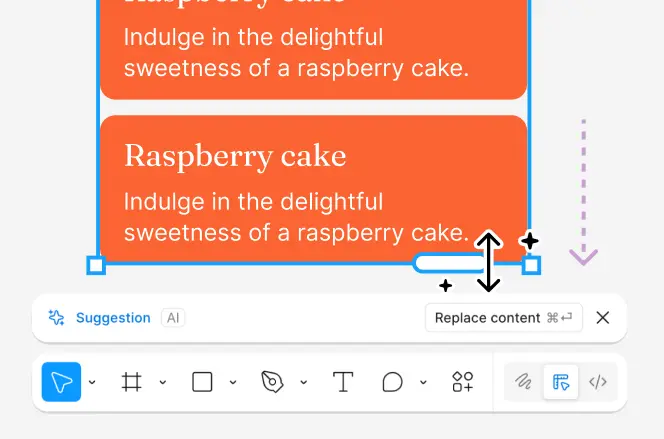
Layout Assistants Inside Platforms: Figma AI analyzes content blocks and suggests structural placement patterns based on design principles. That’s often what people mean when asking how does AI web design work in practice—the tool reads your content, understands hierarchy needs, and proposes layouts that respect proximity and visual weight. That saves time, but you still need to ensure those layouts adapt properly across breakpoints. AI suggests structure; it doesn’t validate responsive behavior automatically.
UX Writing AI: Tools like ChatGPT help draft onboarding flows, empty states, error messages, and product explanations. You provide context about your product and tone, and the AI generates options that you refine. This is especially useful for non-writers on small teams who need functional copy quickly.

Design System Scaling Tools: Some tools help propagate design tokens across files, update component variants systematically, and maintain consistency as design systems grow. These reduce manual maintenance overhead that slows teams down.
Research Summarization Tools: AI accelerates theme extraction and clustering from qualitative research. Feed it interview transcripts or survey responses, and it groups similar feedback into themes. You still interpret what those themes mean strategically, but the initial organization happens faster.
Where AI Should Not Lead The Design Process
AI lacks context beyond what you feed it. It doesn’t understand lived experience, cultural nuance, or accountability for its outputs. That creates clear boundaries for where it should support but not lead.
Avoid delegating these decisions to AI:
- Brand strategy that defines who you are and why you matter
- Emotional storytelling that connects with users on a human level
- Cultural nuance that requires awareness of traditions and sensitivities
- Ethical tradeoffs where design choices affect vulnerable users
- Accessibility decisions that determine whether people with disabilities can use your product
Accessibility is a good example of why AI needs human oversight. AI can flag contrast ratios, check color blindness simulations, and suggest alt text. But designing truly inclusive systems demands empathy, user testing with people who have disabilities, and deep knowledge of WCAG compliance. AI can assist; it cannot define inclusive strategy or make judgment calls about complex accessibility tradeoffs.
The same applies to brand strategy. AI can generate tagline options or suggest positioning statements, but it cannot understand your company’s mission, competitive differentiation, or long-term vision without you providing that context—and even then, it cannot make strategic choices about where to compete or what to stand for.
Building An AI-Supported Creative Workflow
Tools create speed, but systems create leverage. The difference matters because ad-hoc AI usage creates inconsistency, while structured workflows compound value over time.
Start by defining when AI enters your process. Use it early for research synthesis, initial ideation, and variant generation. Avoid inserting it into final brand approvals or strategic presentations without clear human oversight. Create shared prompt libraries so your team develops consistent constraints that produce strong outputs. When someone writes a prompt that generates excellent results, save it. That institutional knowledge becomes valuable as your team scales.
Add review checkpoints where every AI-assisted asset passes human critique before approval. This prevents generic work from slipping through. Someone with design judgment needs to evaluate whether the AI output serves the brief, matches brand standards, and solves the user problem effectively.
For small teams, this might mean a simple checklist: “AI-generated assets reviewed for brand alignment, user clarity, and accessibility considerations.” For enterprise teams, document AI-assisted decisions for transparency, risk management, and consistency. Treat AI like a junior collaborator—fast, productive, capable of handling repetitive tasks, but requiring clear direction and quality review.
Common Mistakes When Adding AI To Your Design Process
Teams make predictable errors when integrating AI. The most common is accepting first outputs without iteration. AI drafts are starting points, not finished work. A layout generated in 30 seconds probably needs 30 minutes of refinement to match your brand and serve users well.
Another mistake is skipping user validation. AI can generate beautiful interfaces that confuse real users. Always test AI-assisted designs with actual people before shipping.
Treating AI drafts as final assets creates bland work. AI averages patterns from training data, which means outputs trend toward the middle. Your job is pushing past that average toward something distinctive.
Letting brand consistency drift happens when different team members use AI with different constraints. Without shared guidelines, your visual identity fragments across projects.
Ignoring intellectual property implications creates risk. Some AI-generated content may resemble copyrighted work from training data. Review outputs carefully and modify them enough that they’re clearly original.
The fix for all of these is simple: use AI to explore options, validate with real users, and refine manually before considering anything done.
The Future of AI in Design: Augmentation, Not Replacement
Creative roles are evolving rather than disappearing. As automation expands, human-centered skills—judgment, taste, strategic thinking, empathy—increase in value rather than decrease.
Designers who thrive won’t resist AI tools or pretend they don’t exist. They’ll orchestrate AI effectively by directing it toward high-leverage tasks, setting strong constraints, and curating outputs intelligently. The competitive advantage shifts toward direction (knowing what to ask for), judgment (recognizing quality), and system-level thinking (building workflows that scale).
Faster iteration cycles become normal. Teams that used to test three homepage variations now test thirty. That volume requires better curation skills, knowing which signals indicate a strong concept versus a mediocre one. Blended human-machine creativity becomes standard, where humans provide strategic direction and taste while AI handles speed and scale.
The designers who struggle will be those who resist integration or, conversely, over-rely on AI without developing their own judgment. The ones who win will use AI to expand what’s possible while keeping human creativity and empathy at the center.
FAQs
Is AI going to take over the graphic design industry?
AI automates production-heavy tasks like resizing assets, generating variations, and creating placeholder content, but it can’t replace strategic thinking, brand leadership, or creative interpretation. Jobs evolve—designers spend less time on repetitive tasks and more time on strategy and creative direction.
Will AI replace graphic designers?
Design roles are changing while the profession itself remains strong. Designers who integrate AI effectively expand their capacity and iteration speed. The skills that become more valuable are judgment, curation, brand strategy, and user empathy—things AI cannot replicate.
What are the benefits of AI web design?
AI accelerates layout generation, UX copy drafting, and behavioral analysis. It reduces bottlenecks that slow teams down and increases the number of experiments you can run. That means faster learning cycles and better-informed design decisions.
Conclusion
AI is a multiplier that amplifies your capabilities rather than a mastermind that makes decisions. If you’re figuring out how to use AI for graphic design, start small and specific. Use it in research synthesis to save hours of manual theme clustering. Use it in early ideation to generate more options than you’d create manually. Measure where it reduces friction without hurting clarity or brand strength.
Then build structure around what works—shared prompts, review checkpoints, clear documentation of AI-assisted outputs.
Strong design still depends on human judgment and strategic direction. AI just increases the number of informed experiments you can run.
The designers who win won’t resist AI. They’ll direct it intelligently while keeping human creativity and judgment at the center of every decision.